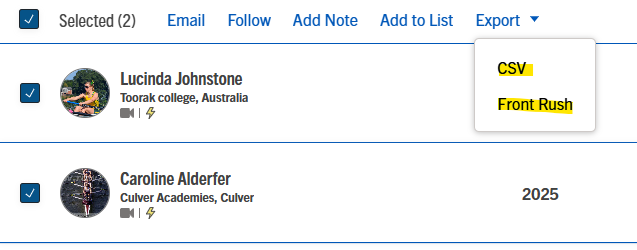
There are currently three ways to export athletes out of NCSA Coach:
1. Into an Excel file
2. Directly to Front Rush (if you are a current Front Rush user)
3. Directly to TeamWorks (if you are a current TeamWorks user)
To export into an excel file:
1. Search for your athletes
2. Go to your athlete list
3. Select a single athlete OR multiple athletes by checking the box next to their name(s) or the box at the top
4. Select Export

5. From here you can select "CSV" or "Front Rush", or “TeamWorks”. CSV will export the information into an excel file, Front Rush and TeamWorks will send the athletes directly over to your recruit list in Front Rush and/or TeamWorks.